Install Android on Proxmox Guest OS to Play Games (reDroid, virgl)
Play Android games with GPU acceleration on Proxmox using virgl.

Context
I have been playing Arknights for 6 years. For context it's a tower defence game where you collect anime girls while fighting mobs. Since I've completed the main story long ago, all that is left is to complete the daily task (~15 mins), and there was a script for that as well.
The goal was to automate the task on my proxmox so I can take the time to do something else (like a pro player). I thought it was trivial at first. Here's what I've tried
Previous Attempts
- Google Play Games in Windows Guest - Failed, wouldn't run
- avd on Windows Guest - Crash / Blank screen
- Genymotion on Windows Guest - QEMU wouldn't run, VBox is unplayable
- Other QEMU / VBox Solution on Windows - Failed or unplayable
- Enabled nested virtualization on Intel/AMD and try above again - No Luck
- Try WSL Android - Windows won't boot
- Try docker based on WSL / HyperV - Windows won't boot
- Install avd on Proxmox host - Works, GPU Acceleration works as well
At this stage I'm simply exhausted, and stuck with bare metal avd for a while.
However, after a while I realized the solution was flawed. First of all, avd consumes space quickly and PVE only assigned ~100G root partition. Also users were expected to deploy any service on VM / LXCs and any tempering with base OS could threat the system stability.
All emulator based solution (QEMU, VBox) on a Linux guest machine behaves almost identical to that on Windows. Crash or extremely slow. x86 Android as a guest machine works, and on top of that virgl works as well. Nice. But installing libhoudini was a pain, and I couldn't get my game to work on Android x86. Also the mouse input was off by a few hundred pixels, and the resolution works half of the time.
System Requirements
I have a Intel DG1 graphics card enabled in Proxmox host OS, and using virgl I can share it around to multiple Linux VMs while it still works on the host.
However, for methods introduced in this post to work for you, you only need an Arch guest OS with GPU enabled. Theoretically any GPU passed through, or vGPU, or SR-IOV, or virtio/virgl could work.
If you don't need hardware acceleration, I recommend to have at least virtio enabled for lower CPU consumption. However, pure software rendering would work.
Introducing ReDroid
Instead of emulating the whole underlying hardware, which is slow and requires nested virtualisation (to function), container based solution like Anbox and WayDriod use LXC to create a dedicated Linux namespace to support Android. Theoretically we could create an Android LXC container in Proxmox directly, and it is doable, but it requires some sort of modification to bypass AppArmor and this violates "No mod to base system" rule. So I prefer to run it in a VM. Hardware KVM is super efficient so performance loss should be minimal.
 remote-android
ReDroid works similarly, only instead of LXC it utilizes Docker. I'm familiar with Docker, and it allows me to easily scale the installation.
The only problem with container based solutions is that they often requires two kernel modules not found in common ditros. binder for Android inter-process communication, ashmem for Android shared memory allocator. Both of which refuses to work on recent Ubuntu / Debian systems and almost frustrated me to the point of giving up. Luckily, I tried Arch this time and it worked like a charm.
Install ReDriod
I use this community script to prepare the Arch VM.
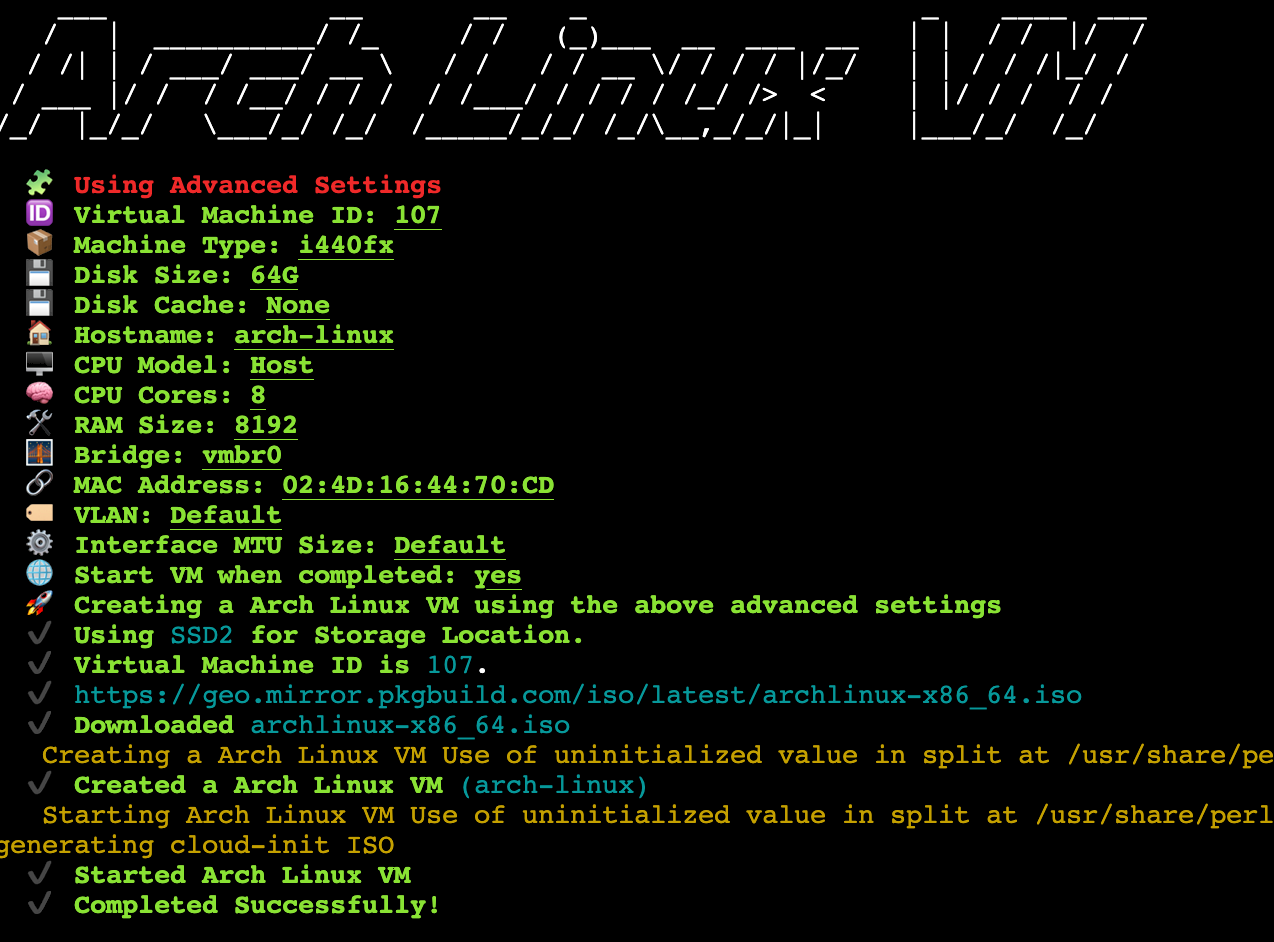
After VM is created, change Display driver to virgl and boot. I use archinstall to guide me through installation, but you can try speed running it as well.
After installation, install basic packages, docker, mesa and xorg. Also linux-zen for binder support. If you are using GPU solutions other than virtio/virgl, you should configure the GPU drivers at this step.
pacman -S tmux vim openssh \
  docker mesa mesa-utils vulkan-tools \
  virglrenderer libva-utils xorg xorg-drivers  \
  xorg-xinit xterm linux-zen qemu-guest-agent

systemctl enable --now qemu-guest-agent
systemctl enable --now sshd
systemctl enable --now docker
Note that x related utilities are not required for ReDroid's GPU acceleration to work, as long as /dev/dri/render* are present you should be good to go. However, these tools makes debugging driver issues much easier.
Use this command to test run ReDriod with host GPU Acceleration:
docker run -itd --rm --privileged \
    --pull always \
    -v ~/data:/data \
    -p 5555:5555 \
    redroid/redroid:12.0.0_64only-latest \
    androidboot.redroid_width=1080 \
    androidboot.redroid_height=1920 \
    androidboot.redroid_dpi=480 \
    androidboot.redroid_gpu_mode=host
Then, in the VM or in my case another VM running windows under the same LAN, run scrcpy:
adb connnect 192.168.1.83:5555 # substitute with your ip
scrcpy --audio-codec raw
If everything goes smoothly, you should see scrcpy video stream pops up. If an error message appears, run docker exec <container id> -it /bin/sh and then logcat to view error logs.
The latest version of ReDroid 12.0 has houdini built in and installing Arknights is a breeze. GPU acceleration works, because upon opening the game or a video the host GPU utilization goes up, and there is no significant (as in >80%) jump in CPU util.
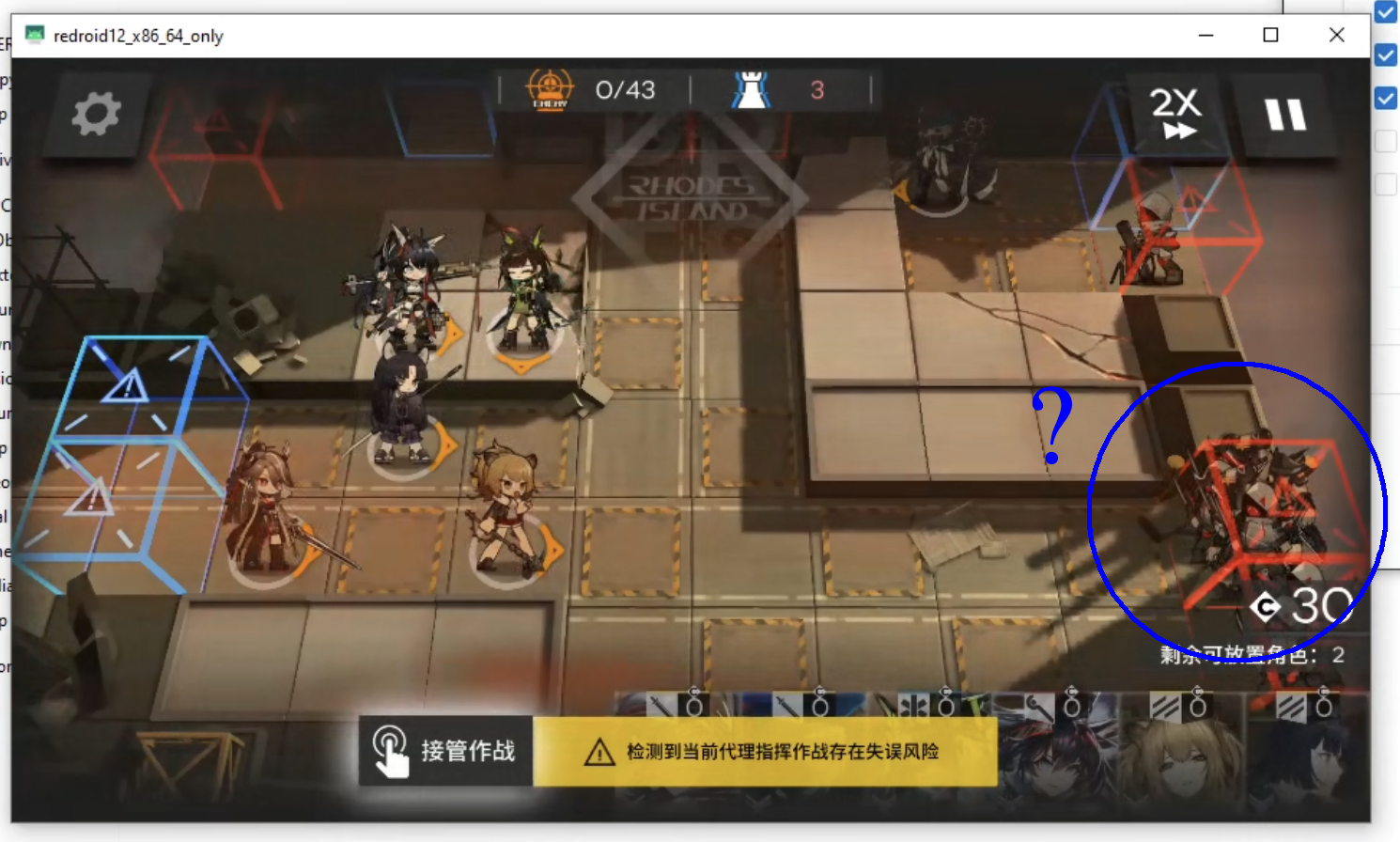
Arknights Issue
Since my goal is to run Arknights, here's a list of Docker image versions I've tested with the game.
redroid/redroid:11.0.0-latest: Runs, lags heavilyredroid/redroid:12.0.0_64only-latest: Runs, severe bugredroid/redroid:13.0.0_64only-latest: Runs, severe bugredroid/redroid:14.0.0_64only-latest: Runs, severe bugredroid/redroid:15.0.0_64only-latest: Game won't openredroid/redroid:16.0.0_64only-latest: Android does not boot
Currently, Arknights is not compatible with any version of official redroid images. I suspect this is due to either arm translation, or underlying AOSP image incompatibility.
The next logical step is to build my own ReDroid image using Lineage OS and pack ndk/houdini into it. However, since I do not have the time for this, this paragraph serves as a reminder for my future experiments.
Resources for self compiling the image
 zhouziyang
 262588213843476
 remote-android
I tried following the tutorial but my server runs out of memory half way cloning the repo so maybe I'm gonna try it later when I actually need GApps.
If you have any questions, don't hesitate to leave a comment and subscribe to email notifications. I would be replying every question as best as I could. Cheers!

