
To follow this tutorial, you need a working GPU on your Proxmox host. (To make virGL work)
You can also choose to not use a GPU and rely on CPU rendering (virtio-gpu), but the performance would not be optimal.
Previously, I tried to install Arknights inside a VM on Proxmox using ReDroid. The reason we are doing that is because every android emulator I've tried refused to work in a guest machine, even if nested virtualization has been turned on. I achieved running the game and decent performance. However, probably due to the some stuff missing in ReDroid some game mechanics cannot work properly, and rooting the container is rather inconvenient.
 Justin Zhang
However, after some fiddling around with WayDroid and NixOS, I managed to get the game working perfectly, with graphical acceleration and root, under NixOS. More importantly via NixOS I made it mostly reproducible, so you can expect the setup to work on your machine, unless WayDroid or the game changed significantly.
Build the Image
To save VM space and time, I took the approach to build the disk image using Nix and directly import it into Proxmox. So you will need an additional machine running Nix to build the image.
 262588213843476
To build the image, copy all files in the gist to the same directory, and run:
nix build -L .#nixosConfigurations.droid-vm.config.system.build.images.qemuNote that, you need flake enabled under experimental features. If your NixOS is inside a virtual machine also make sure to turn on nested virtualization in supervisor settings because nix will qemu boot the machine to configure it before writing the image.
Create VM
In proxmox webui, create a VM called waydroid. Do not use OS install media, for System config, set Graphics card to VirGL. (See screenshot below) If prefer CPU rendering, use virtio-gpu instead.
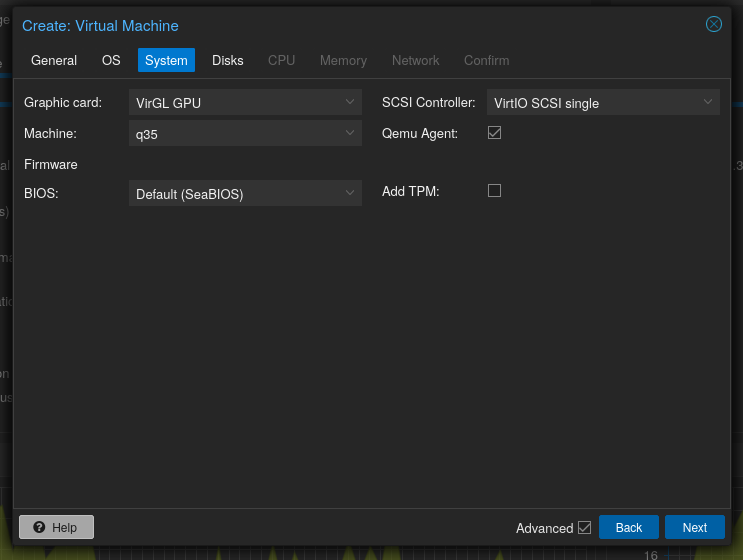
For disks, delete the default disk and create with no disks. Assign at least 4 cores and 8G of RAM to run the game smoothly.
Adjust network config if you like, leave everything else by default and create the VM. Take note of the VM number (in my case it's 101)
Copy the built disk image to proxmox, then import it using (for example):
qm importdisk 101 /tmp/nixos-image-qcow2-25.11.20251226.f560cce-x86_64-linux.qcow2 local-lvm
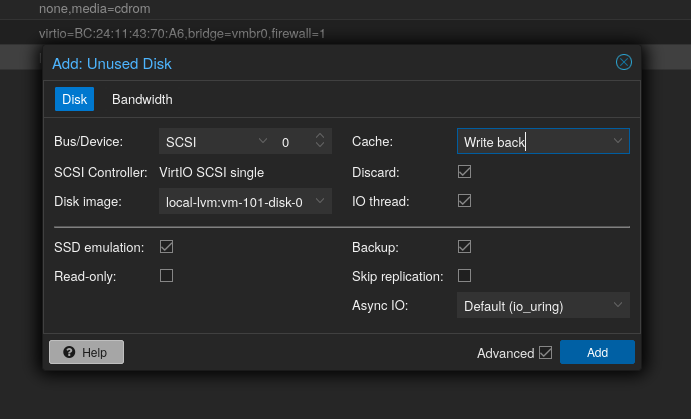
After import, attach the disk. I chose writeback because my proxmox is long running and stable. Click add and then expand the disk. Android system and the game would require approximate 64 GB of additional space.
Then, go to VM config, and set the start up disk to be this disk.
Start the VM. Spice is recommended for smoother controls.
Configure Waydroid
Boot VM, open waydroid, select GApps variant and hit download. Depending on your machine the waydroid container could take a while to start, be patient and don't spam the button.
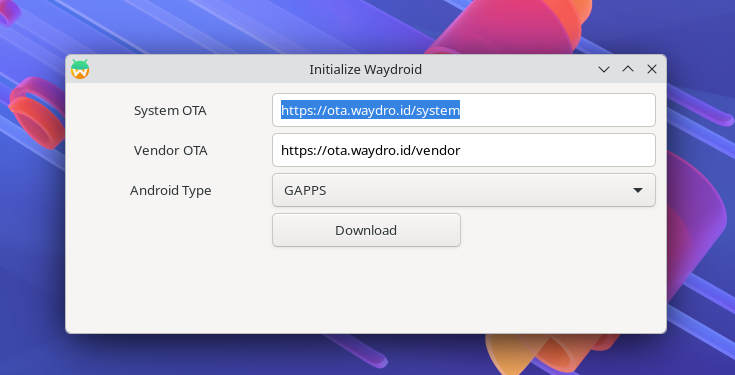
If everything go smoothly after done waydroid should boot lineage OS and for me it feels pretty smooth. On host proxmox I can see the GPU usage, confirming graphical acceleration does work. Note that the spice session might feel laggy, but that's just because spice is inferior. We don't really need spice anymore after waydroid is configured anyways.
Open a terminal, execute:
waydroid prop set persist.service.adb.enable 1
waydroid prop set persist.waydroid.width 1280
waydroid prop set persist.waydroid.height 720
Reboot VM. The waydroid session should start automatically. To tweak the container and make my experience smoother, I opened xterm and typed
sudo waydroid-scriptAfter container has fully booted, select Android 13 -> Certify Device. This is to get rid of the constant notifications of "uncertified warning" and make Play Store working. Proceed according to instructions.
Then, reopen waydroid-scripts and this time select Android 13 -> Install. Install libndk (and magisk if you prefer rooted) because Arknights doesn't ship x86 compatible apk any more and translation is needed. If magisk is selected, the container would reboot several times, this is normal.
And that's it. To adb the container I've included a port forwarding script that starts forward 5555 to 0.0.0.0 of the VM as soon as container started. Sound for now, doesn't work, even after the addition of a qemu sound device. But I believe turning on the sound is trivial, and thus is left as homework for the reader.
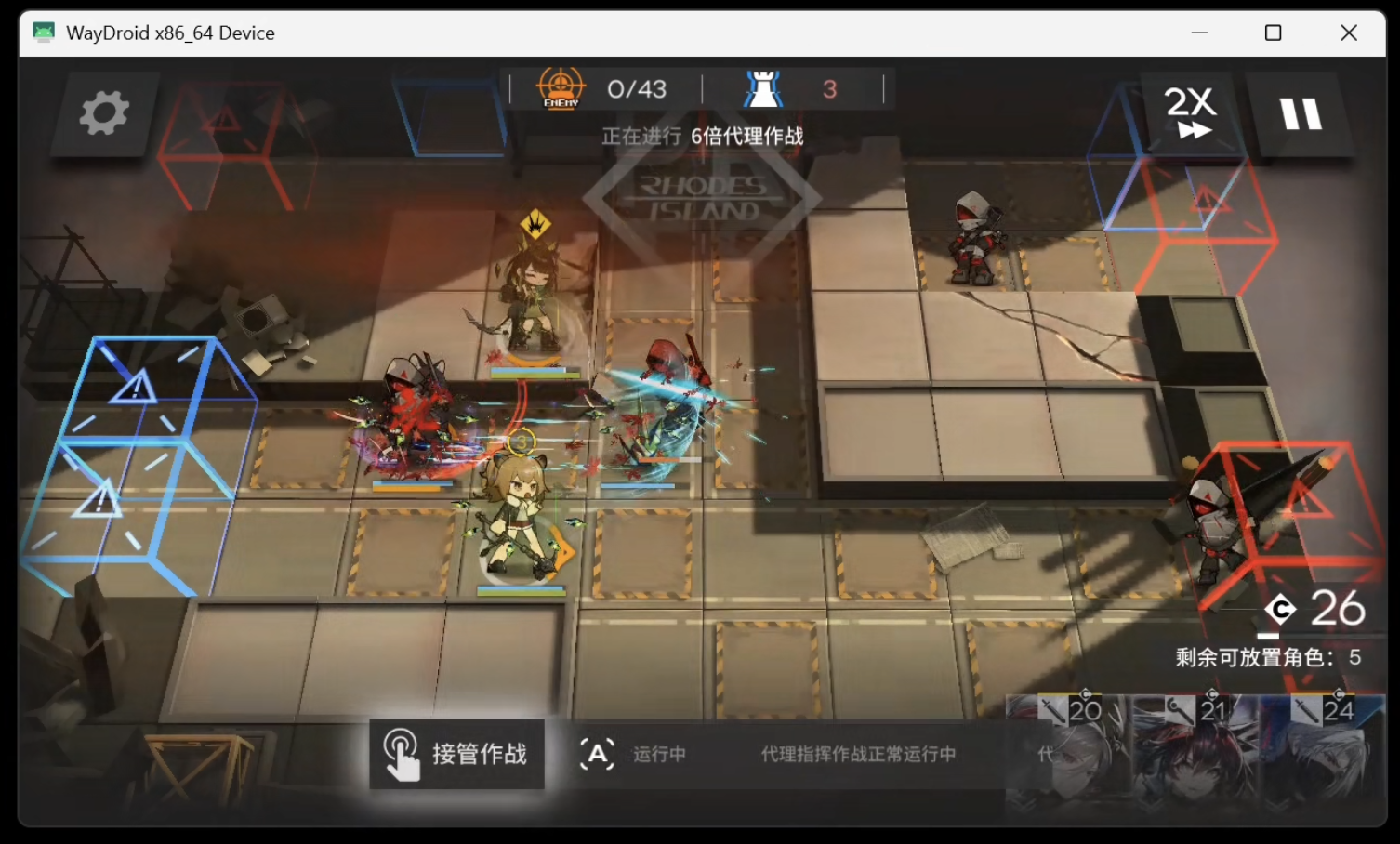
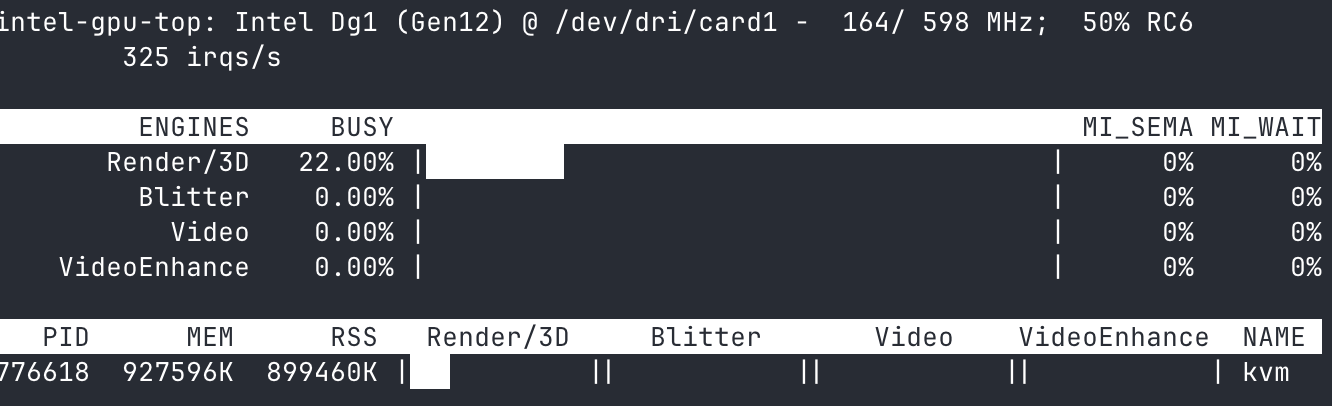
On the host, intel_gpu_top shows ~25% GPU when fighting, with effects default to high and 60fps. I'm using intel SG1, which is designed to handle multiple gaming sessions per card.
If you want to know more about this graphics card and see some unboxing and testing, please click the following blog post.
 Justin Zhang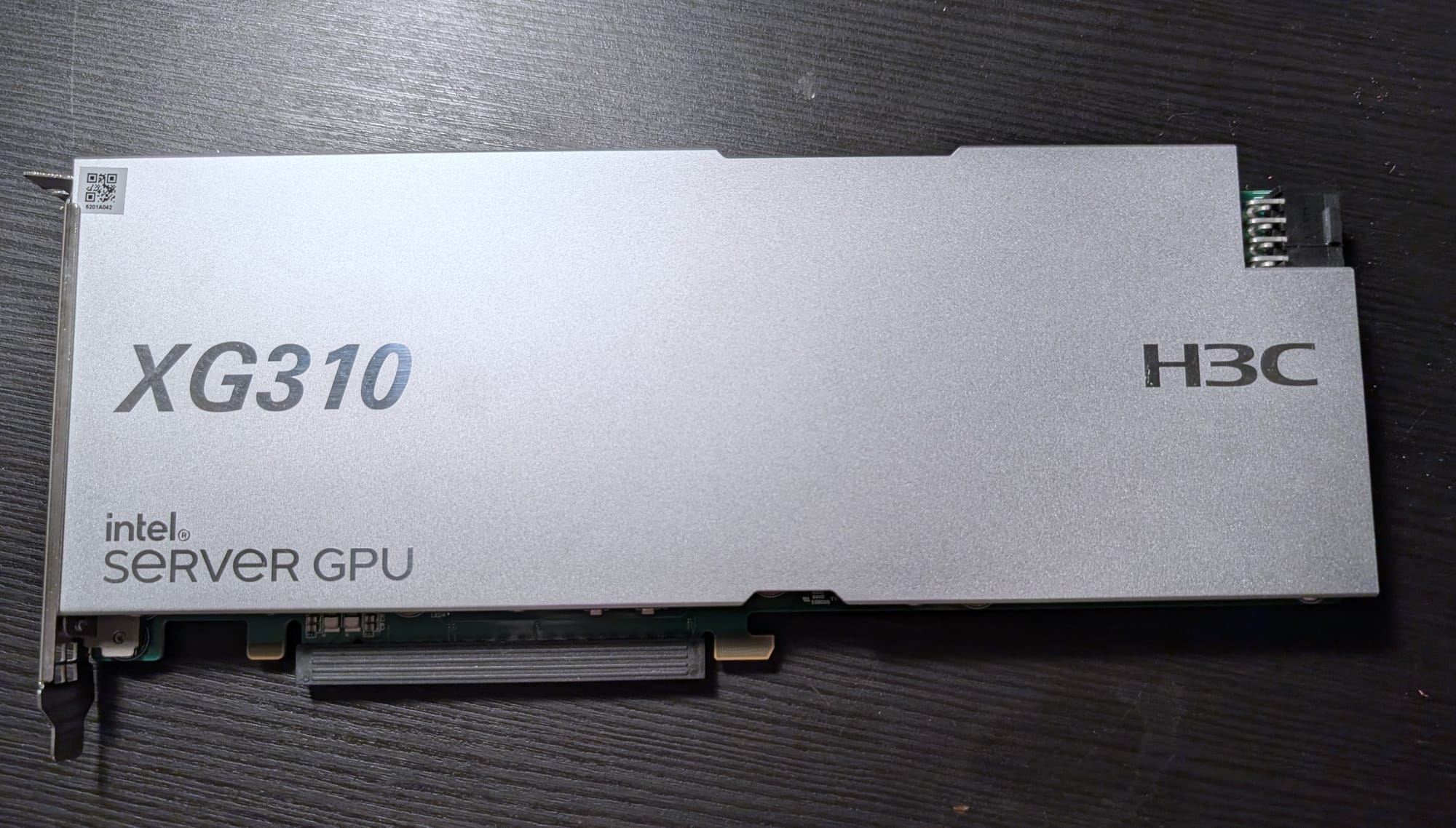
Comments