Context
For a long time I've relied on virGL for Linux guest and passthrough / cpu rendering for windows hosts. I've tried vGPU solutions, but non provides a satisfying answer. I'll list the options (as far as I know) here
| Solution | Pros | Cons |
|---|---|---|
| NVIDIA vGPU | - Hardware easily affordable - Very good compatablity - Relatively good performance |
- vGPU software needs expensive licensing - may need tweaks to get it working on non professoinal cards |
| AMD MxGPU | - Best performance - No licensing fees |
- Insanely expensive hardware |
| Older MxGPUs (S7150 x2) |
- Very cheap hardware, down to <$50 CAD - No licensing fees - Up to 32 slices |
- Terrible performance - Hit or miss compatability |
| Intel GVT-g | - Relatively good performance - Uses iGPU, no additional hardware needed - Good compatablity |
- Not available on newer generations - Needs iGPU, which often absent on server grade GPUs |
| Intel Data Center GPUs (Flex series) |
- Good performance - Good compatability - No licensing fees - Uses linux native SR-IOV, minimal config |
- Honestly the price can be lower and I'll take it |
| Intel Arc Pro Cards (B50) |
- Relatively good performance - Good compatablity - No licensing fees - Best community support |
- Price is too fucking high - Forever not in stock - performance not as good as even Flex 140 |
So as I was browsing the second hand market, I found somebody selling Flex 170 for ~350 CAD and this makes me instantly regretting buying B580 for about the same price. As I was about to make another irresponsible financial decision I came across this card, listed for 200 CAD.
Maybe I don't really need vGPU solutions after all if I don't have a lot of windows VMs to manage. Closest equivalent on NVIDIA's side is GRID K1, which has 4 cores onboard. But it's performance is terrible and Kepler is a little bit too old so I bought this GPU from China, fingers crossed.
Specs and Visual Inspection
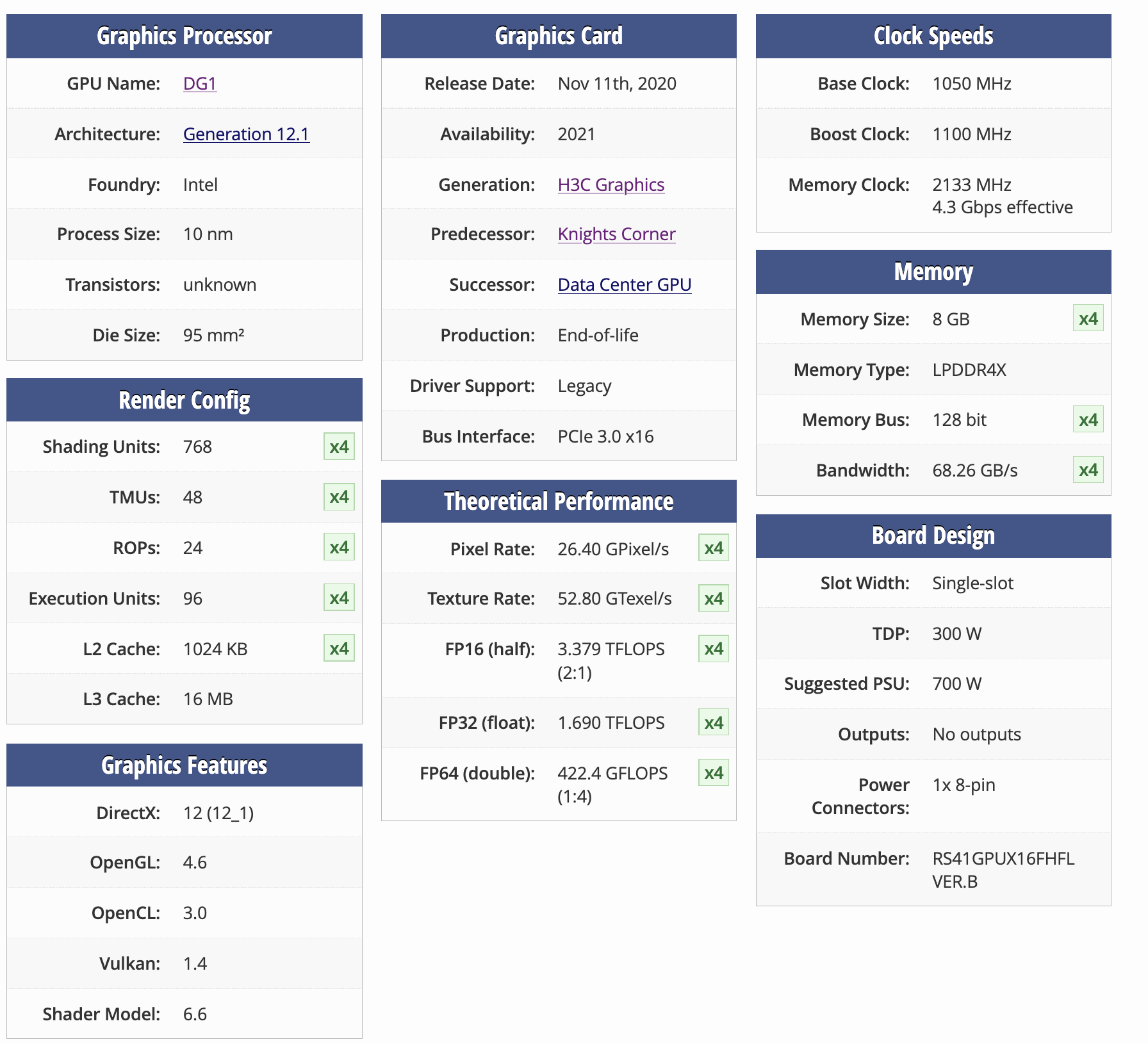
There are limited information for this card online, which is common for a data center card, even more common for intel products. TechPowerUp shows this card has 4 DG1 Max (96 EU) cores and each core has 8GB LPDDR4X memory (Not good not bad).
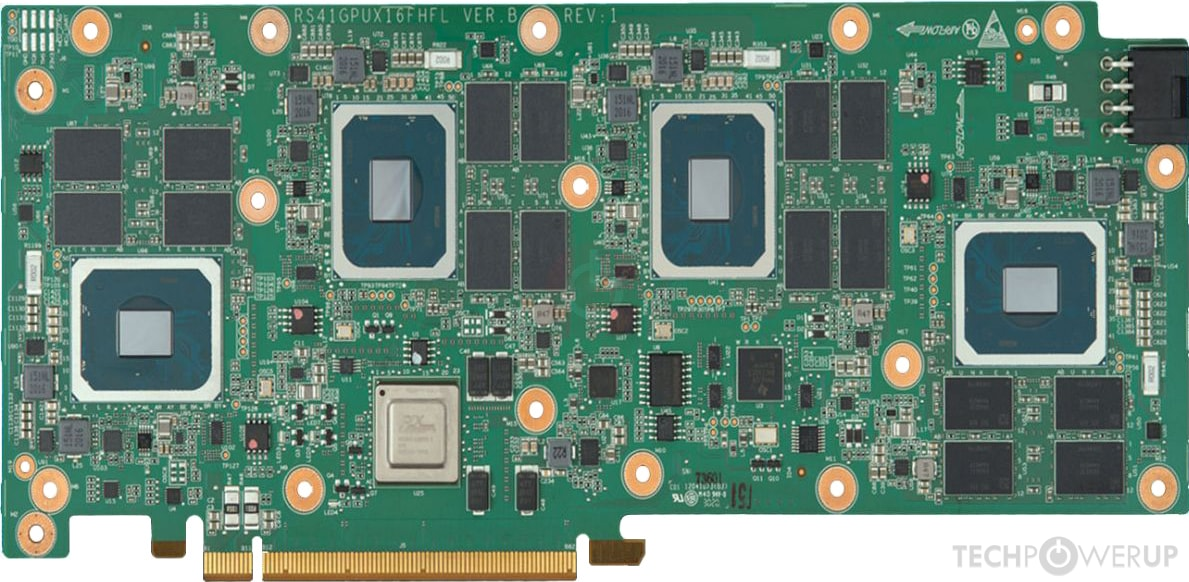
These 4 cores sits behind a PCIE switch (no bifurcation support needed), and appears as separate devices to the motherboard. lspci output shows 4 separate display devices as well as numerous PCIE bridge devices.
root@pve:~# lspci -nnk | grep 4907
c5:00.0 VGA compatible controller [0300]: Intel Corporation SG1 [Server GPU SG-18M] [8086:4907] (rev 01)
ca:00.0 VGA compatible controller [0300]: Intel Corporation SG1 [Server GPU SG-18M] [8086:4907] (rev 01)
cf:00.0 VGA compatible controller [0300]: Intel Corporation SG1 [Server GPU SG-18M] [8086:4907] (rev 01)
d4:00.0 VGA compatible controller [0300]: Intel Corporation SG1 [Server GPU SG-18M] [8086:4907] (rev 01)
I was kinda hoping that this device would come with SR-IOV capabilities. Because Intel has mentioned in one of their documents that SG1 would have SR-IOV capabilities. But it seems like they never implemented the functionality, and lspci does not report SR IOV capable either.
ca:00.0 VGA compatible controller [0300]: Intel Corporation SG1 [Server GPU SG-18M] [8086:4907] (rev 01) (prog-if 00 [VGA controller])
        Subsystem: New H3C Technologies Co., Ltd. UN-GPU-XG310-32GB-FHFL [193d:4000]
        Flags: bus master, fast devsel, latency 0, IRQ 322, NUMA node 0, IOMMU group 27
        Memory at c0000000 (64-bit, non-prefetchable) [size=16M]
        Memory at 17c00000000 (64-bit, prefetchable) [size=8G]
        Expansion ROM at c1000000 [disabled] [size=2M]
        Capabilities: [40] Vendor Specific Information: Len=0c <?>
        Capabilities: [70] Express Endpoint, IntMsgNum 0
        Capabilities: [ac] MSI: Enable+ Count=1/1 Maskable+ 64bit+
        Capabilities: [d0] Power Management version 3
        Capabilities: [100] Latency Tolerance Reporting
        Kernel driver in use: vfio-pci
        Kernel modules: i915, xe
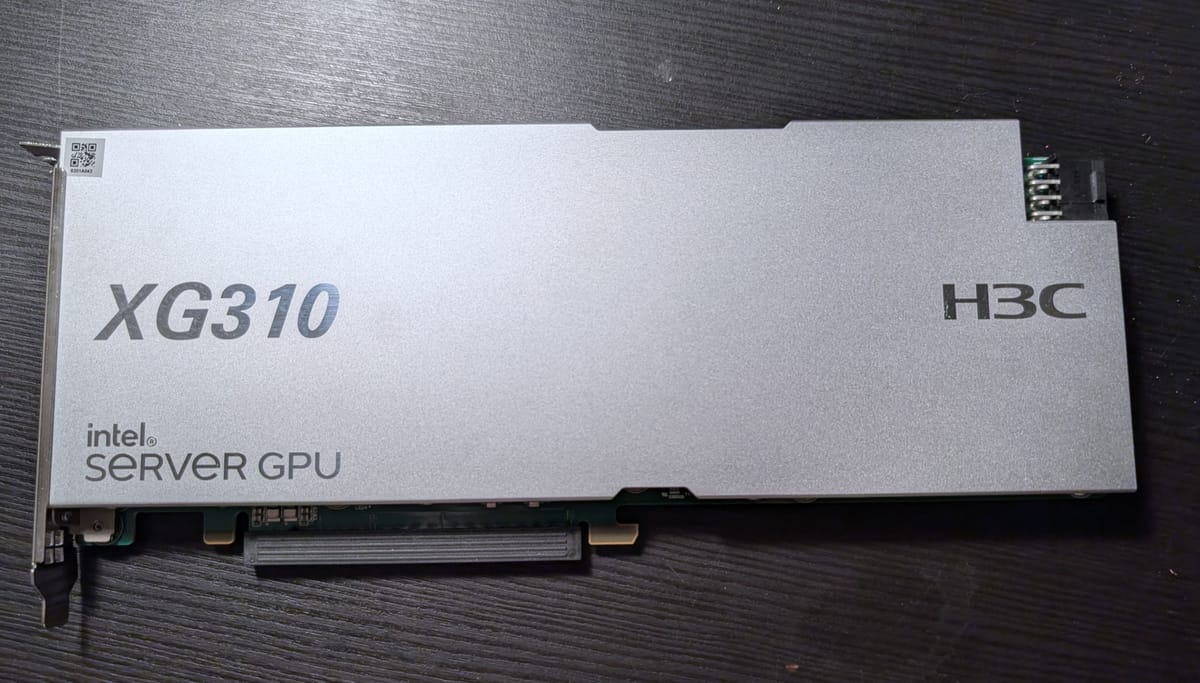
The device is a single slot, full width (not like tesla P4), standard form factor (I don't know what to call it, but the power plug and back mount screw layout matches with several other data center cards like tesla T10), PCIE x16 card. It feels heavy in my hand (heavier than a 4060 Ti FE), and I suspect it's either because of the copper fins or some kind of iron/steel backplate.
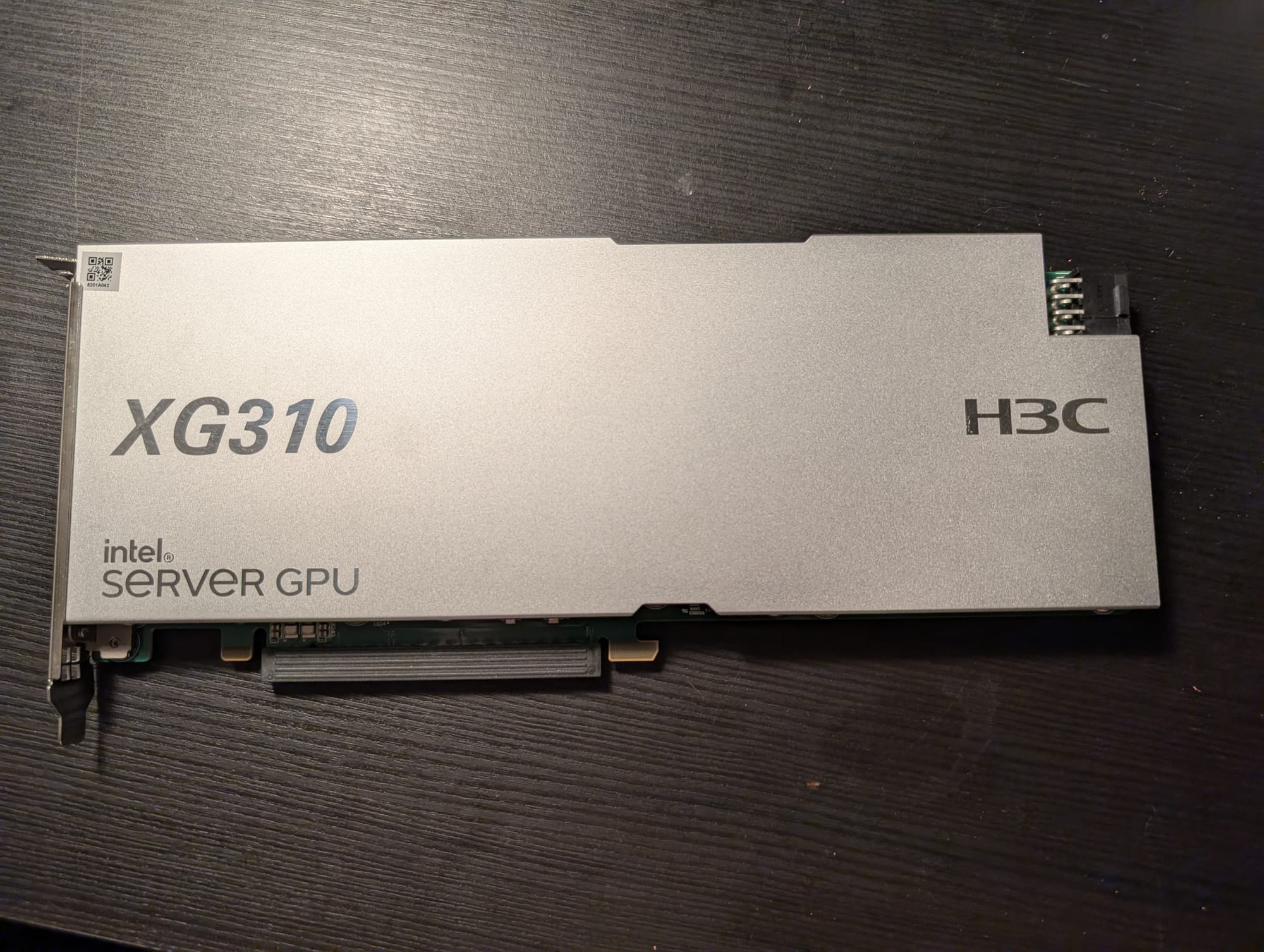
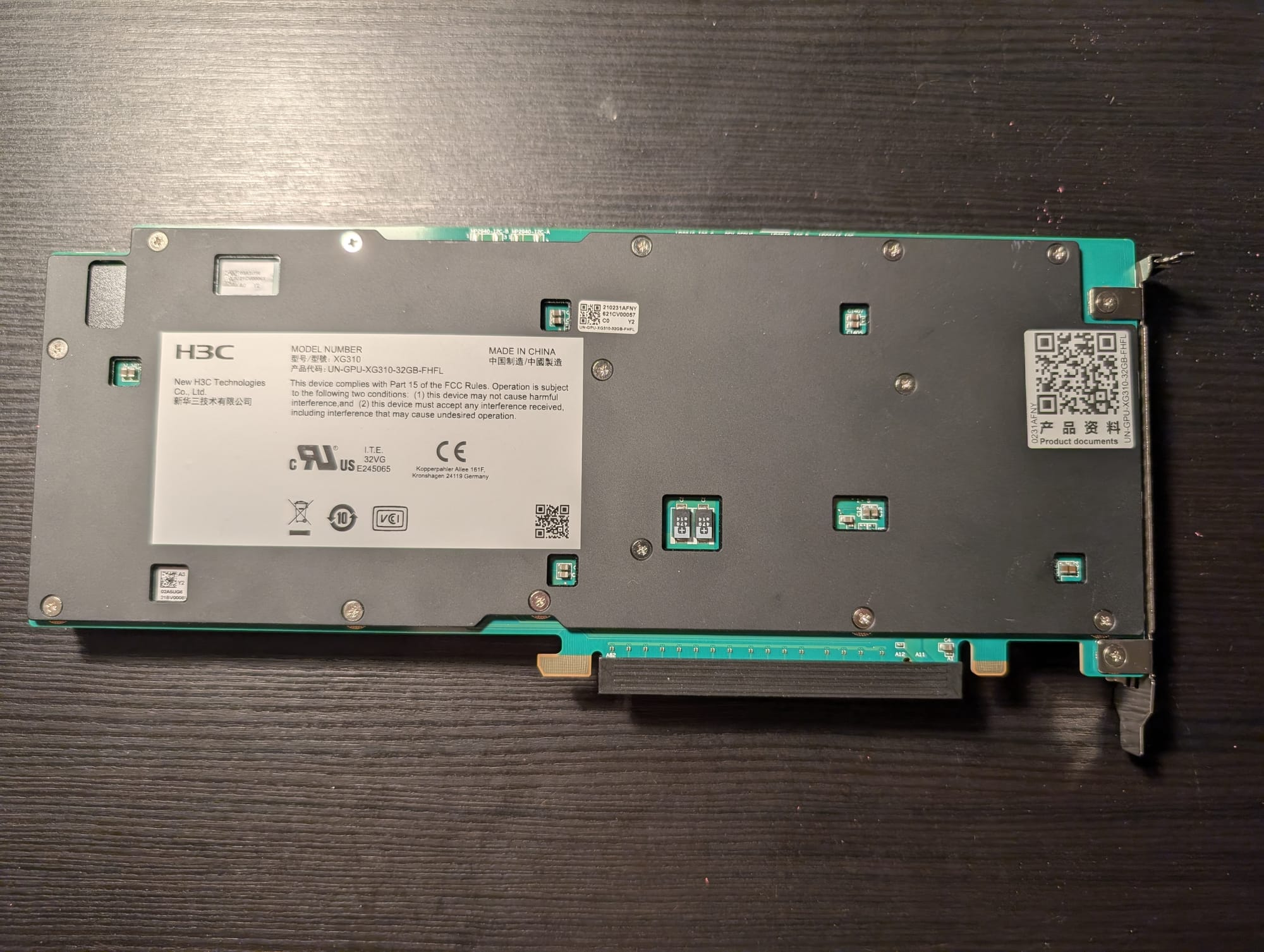
Front and back of this card
3D Printed Rear Fan Bracket
Now, since this card is meant to use in a standard rack mount server, it relies on a passive air cooler which narrow and sparse. In my tower case without a blower at the back it would quickly overheat.
Since I also bought a Tesla T10 along with this card, and their shape is almost identical, I designed a plastic mount around a 12V, 50x50mm, 15000 RPM blower model no. DV05028B12U to provide airflow for both of the GPUs. I intend to run the fan at ~9000 RPM until I have time to write a script that monitors the temperature of both GPUs (from virtual machines) and talk to ipmi.
 justin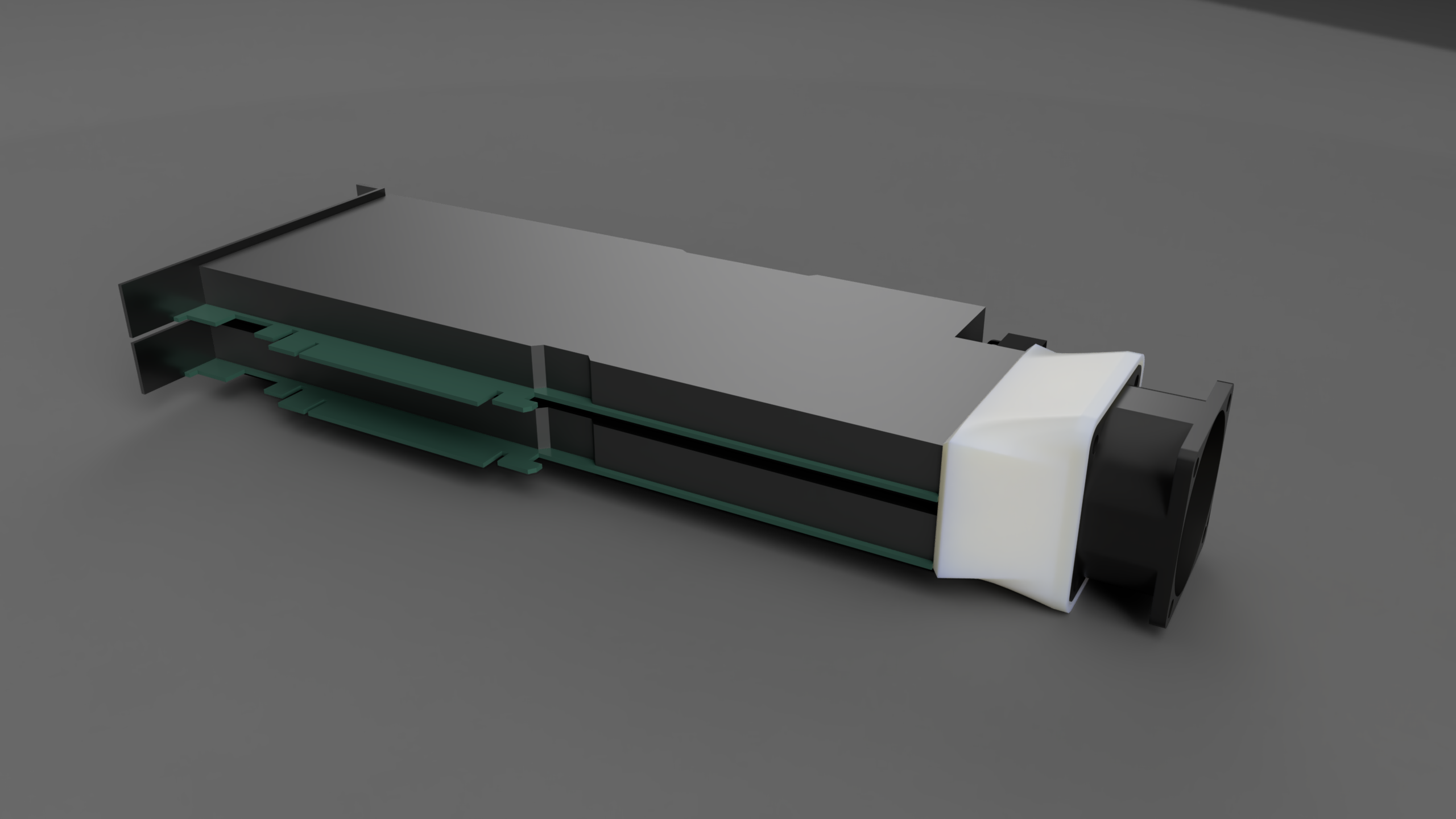
I've uploaded my models, complete with the original Fusion 360 export so you can modify if you want, to the link above. The mounting holes are little bit tight and if I have to print it again I would make more allowance.
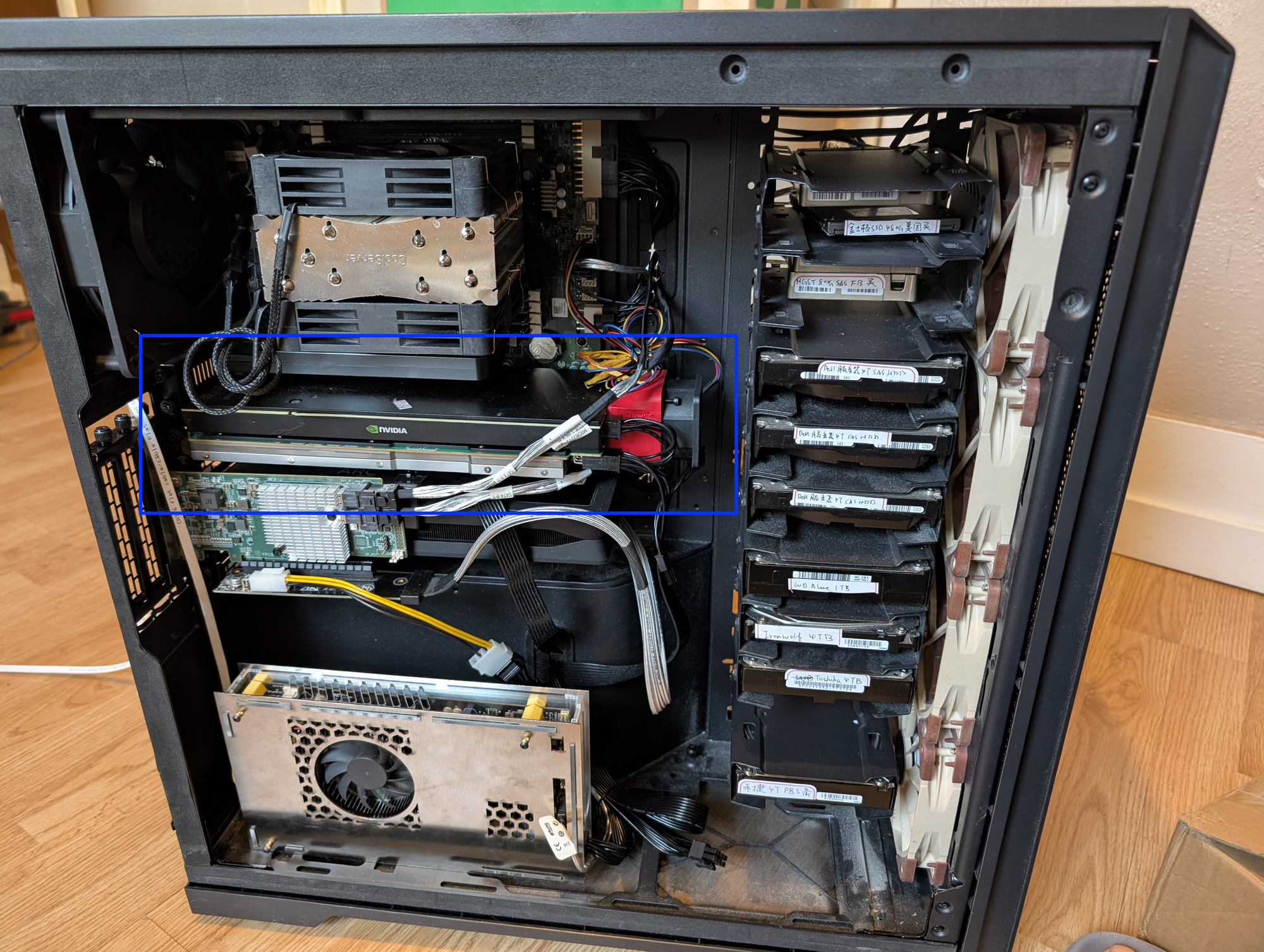
Driver and Setup
Linux
For kernel version >= 6.17, linux kernel comes with native support for intel DG1 / SG1 and should work out of the box. For older linux versions, you may need to add i915.force_probe=4907 for it to work. On my latest unraid system (7.2.3) after force probing the card just worked.
For even older system or if you somehow needs video transcoding capability on Proxmox host (not recommended), the setup should be similar to intel DG1. I attached a great tutorial below:
 皮蛋熊
皮蛋熊
Windows
Under windows the setup is trivial. Simply download the Driver Support Assistant and it will automatically download the right driver for this card.
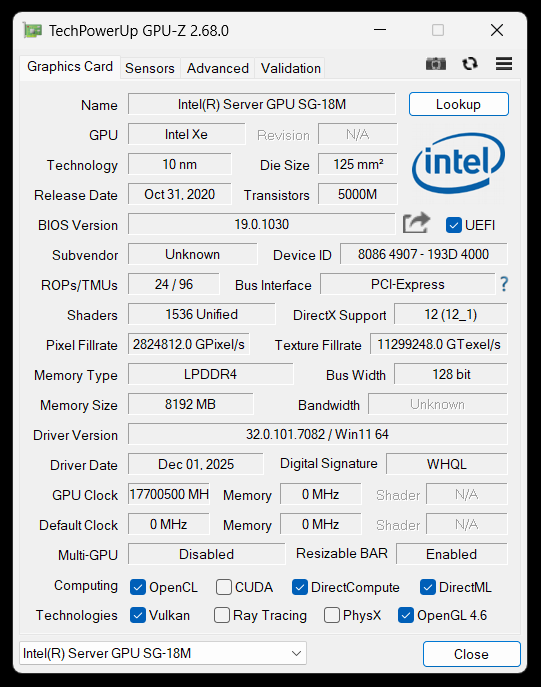
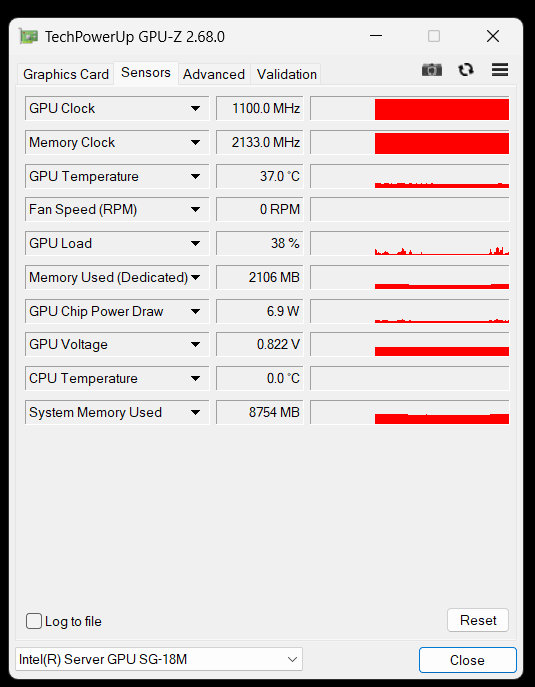
I present to you, human's first 17THz GPU
Official H3C Driver/Firmware for CentOS (Outdated)
Since Linux 5.16, support for DG1 / SG1 has been baked into the kernel. So there's really not much reason to use this outdated driver, compatible only with CentOS 7/8.
For firmware, it's also recommended not to use the official firmware attached below. To update the firmware, pass through all 4 SG1 to a Windows VM and execute a fresh install from the intel driver support assistant. The driver installer will have the firmware updated automatically.
Driver:
 Enlighten Designs_支持
Archived: https://archive.org/details/GPU-XG310-32G_Drv_Linux_20044.rar
Firmware:


Benchmarks
Transcoding
For transcoding test I uses jellyfin docker container (because I'm lazy). I use the command below to test for qsv and vaapi decode performance.
# qsv
/usr/lib/jellyfin-ffmpeg/ffmpeg -hide_banner -v info \
  -hwaccel qsv -hwaccel_output_format qsv \
  -i input.mp4 \
  -f null -

# vaapi
/usr/lib/jellyfin-ffmpeg/ffmpeg -hide_banner -v info \
  -hwaccel vaapi -hwaccel_output_format vaapi \
  -i input.mp4 \
  -f null -
Test video sourced from https://repo.jellyfin.org/test-videos/
And the test result is as follows. Note that during all tests intel_gup_top reports at most half of GPU usage during those transcodings. So it's possible that fps would double for two or more video streams.
| Decode (QSV) | Decode (VAAPI) | |
| 4K HEVC HDR10 100M.mp4 | 367 fps | 412 fps |
| 4K AV1 HDR10 100M.mp4 | 300 fps | 322 fps |
| 1080p HEVC 10bit 30M.mp4 | 915 fps | 1400 fps |
| 1080p AV1 10bit 30M.mp4 | 866 fps | 961 fps |
Furmark
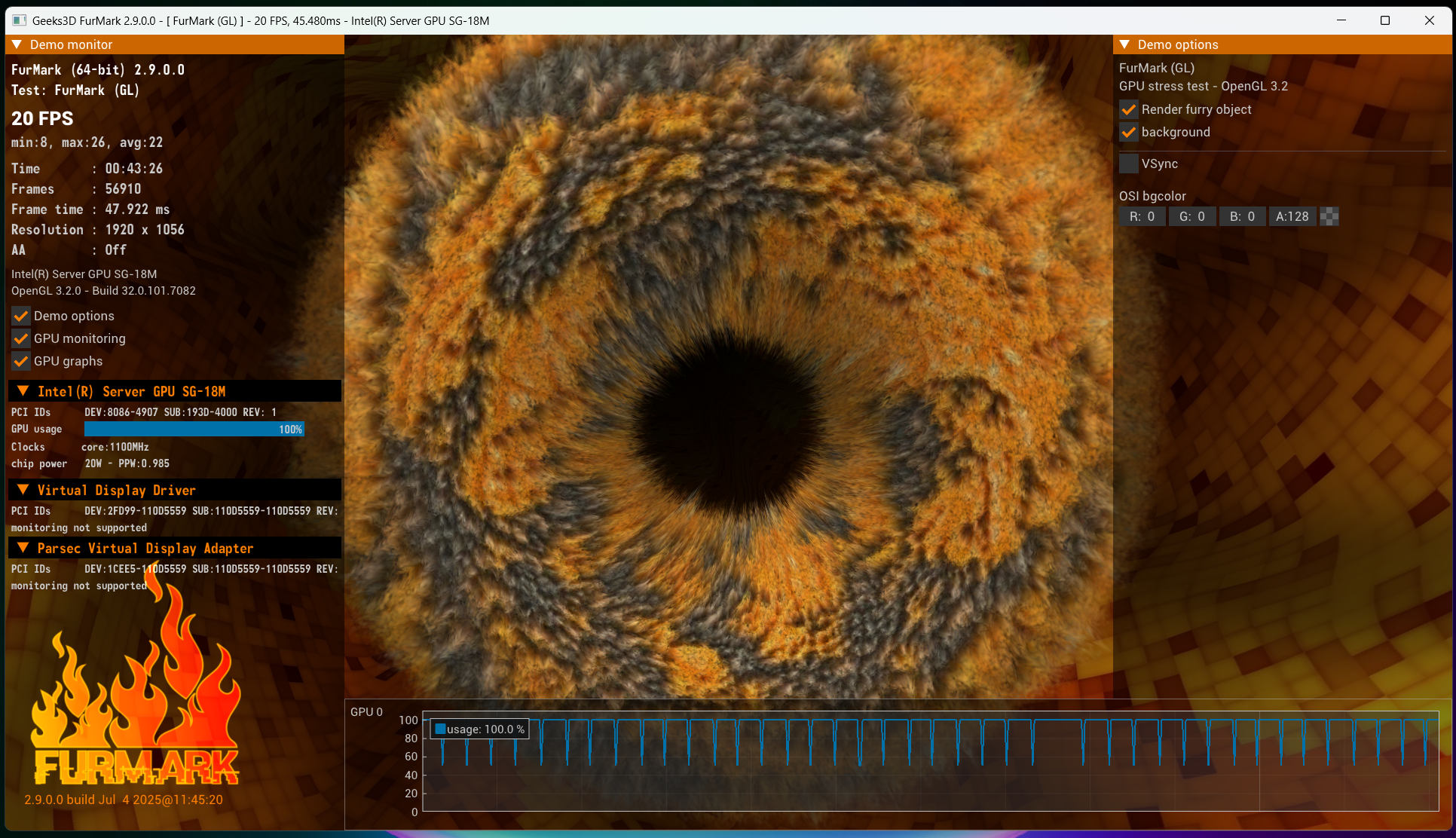
I ran furmark for ~45 mins and with fan spinning at 10000 wpm, temperature stablized at 55C while power consumption max out at 22W. This aligns well with normal intel iGPU patterns, and make this card a strong candidate for (relatively) low power home media centers. I also see periodical dips in GPU usage, but it's almost certain an issue with the hypervisor scheduling.
Just for fun, I ran some light gamings on this machine and it's suprisingly doable. (Dungeon shooters, RTS gamse) on this GPU. But since the performance is basically a iGPU plus and no ray tracing, for serious gaming I would recommend modified mobile GPUs like RTX A2000 (3050 Laptop modified to fit in a PCIE slot), which basically gives low end gaming laptop experience.
Android Gaming

In the official intel documents this card is often described to support "android cloud gaming", which to me is a really niche use case and no wonder the official intel project on this died quickly. However, I did some tweaks and tested waydroid running Arknights performance using virGL backed by one of the GPU slice on the host. For details see the blog post below:
 Justin Zhang
In summary, I can achieve 1080p, 60fps, high graphical settings on this GPU during fighting scenes and it only consumes around 20-25% GPU usage. So I'm confident to say that I can run up to 4 android emulators on a single slice. So the whole GPU could theoretically produce 16 high performance android emulators. Which is amazing cost effectiveness for hardware at just 140 CAD.
LLM Performance
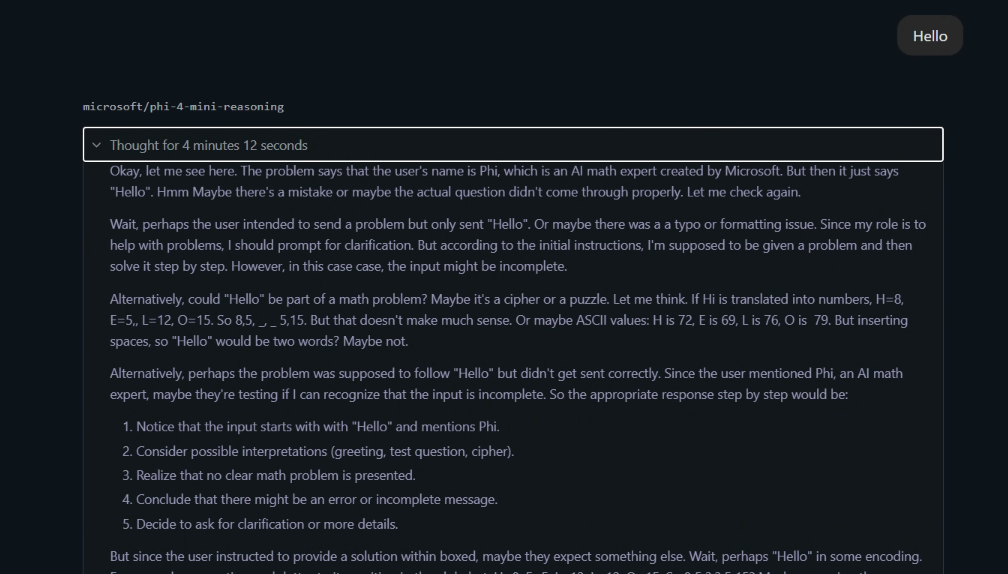
I also tested the GPU (one single slice of 8G VRAM) on several popular LLM models using LM Studio and Vulkan on windows. Here are the results. Note that I've also tried Intel OpenVIVO for "native support" and the performance is a little better but not a lot of models are available.
| Model | Size | TOS | Comment |
|---|---|---|---|
| phi-4-mini-reasonin | 3.8B | 6.51 | Incoherent |
| gemma3 | 4b | 11.72 | |
| qwen3 | 8b | 5.38 | Exceeded VRAM size |
I blame GDDR4 VRAM for this terrible performance, and on a Tesla P4 I could probably achieve 4 to even 6 times more TOS. So even though it has 8GB VRAM on board, for running LLMs buying 4 Tesla P4 or 2 V100 would be smarter.
Wrap Up
In conclusion, this card has good compatibility and well worth the price. I would still probably switch over to Flex 170 if I could manage to get one below 300 CAD, but for now I'm perfectly happy with it.
Reference Links / Files
https://www.h3c.com/cn/Service/Document_Software/Document_Center/Server/Catalog/Server_Parts/GPU/
Comments